CompTIA Certification
CompTIA A+ Core 1 (220-1201)
Master hardware, networking, and troubleshooting with an AI coach that drills you on real help desk scenarios. 17 topics covering all 5 exam domains.
Start Studying — Free See How Ari Works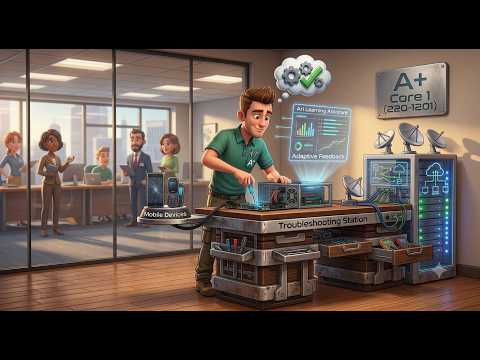
CompTIA Certification
Master hardware, networking, and troubleshooting with an AI coach that drills you on real help desk scenarios. 17 topics covering all 5 exam domains.
Start Studying — Free See How Ari Works
No flashcards. Ari teaches through help desk tickets and troubleshooting walkthroughs — the way you'll actually use this knowledge.
Already know subnetting? Skip it. Confused by RAID levels? Ari digs deep until it clicks.
Practice with scenario-based questions that mirror real PBQs and multiple-choice format.
See your mastery level per topic. Know when you're ready to schedule the exam.
Ari is an AI tutor that adapts to how you respond — here's what it does across sessions.
Ari adjusts based on your responses. After a few sessions, it shifts its approach:
After each session, the system updates a profile based on how you interact:
Ari can suggest what to focus on — but these are AI-generated suggestions, not guarantees:
Ari is designed around learning science principles — but it's still an AI and can make mistakes.
How Ari Works →Ari is an AI language model. It works well for studying — but it has real limitations.
"Explain that differently" or "Give me a real-world example."
Ari can rephrase, use analogies, or break things into steps. If one explanation doesn't click, ask for another angle.
"Quiz me on this topic" or "Give me a practice question."
Self-testing builds stronger memory than re-reading. Questions match what you've been studying.
"Show me a comparison table" or "List the steps."
Tables, step-by-step lists, and side-by-side comparisons can help organize complex material.
"I have 30 days and can study 5 hours a week — help me plan."
Ari can suggest a sequence based on what you've covered so far. Use it as a starting point, not gospel.
It's a language model — it generates plausible-sounding text based on patterns, just like ChatGPT, Gemini, and Claude. It can state incorrect information confidently. Always verify important facts from official sources.
Ari assumes you're here to learn. If you argue or try to trip it up, it won't push back well — it may agree with incorrect statements or get confused. It's a study aid, not a sparring partner.
Ari keeps the most recent part of a conversation sharpest. In one very long session, earlier details get summarized and can fade. Keep sessions to a reasonable length and focused on one topic — don't try to cover everything in a single marathon chat.
Any progress or mastery shown is the result of the model's pattern matching — not a real measurement. It can never be fully accurate because it's predicting, not testing.
Ari is a free study tool. It doesn't administer exams, issue credentials, or measure your actual readiness. Exams and credentials come from independent organizations. Ari can help you study — that's it.
Five domains. Hardware, networking, mobile, cloud, and troubleshooting.
Laptop hardware, displays, connectivity, MDM, BYOD, device synchronization
TCP/IP, ports, Wi-Fi 6E, DNS, DHCP, SOHO setup, cabling, network tools
RAM, storage, RAID, motherboards, CPUs, power supplies, printers
VMs, hypervisors, containers, VDI, IaaS/PaaS/SaaS, cloud models
Methodology, hardware/storage/display/network diagnostics and resolution
Every exam objective mapped to a conversation with Ari.
Install, configure, and replace laptop hardware components including batteries, displays (LCD, OLED, Mini-LED), cameras,...
Compare and contrast accessories and connectivity options for mobile devices including USB-C, Lightning, Thunderbolt, NF...
Configure mobile device network connectivity including cellular (4G/5G), Wi-Fi, and location services. Apply Mobile Devi...
Compare and contrast common TCP and UDP ports, protocols, and their purposes. Understand how protocols like HTTP, HTTPS,...
Explain wireless networking technologies including 802.11 standards, frequency bands (2.4GHz, 5GHz, 6GHz), channels, enc...
Summarize services provided by networked hosts (DNS, DHCP, file servers, print servers, proxy). Explain DNS record types...
Compare and contrast networking hardware devices including routers, switches, access points, firewalls, and PoE. Configu...
Identify network cable types (copper, fiber), connectors, and their appropriate use cases. Use networking tools includin...
Compare and contrast RAM types (SODIMM, DIMM, DDR generations, ECC), storage devices (HDD, SSD, NVMe), form factors (M.2...
Install and configure motherboards (ATX, microATX, ITX form factors), CPUs (x86/x64, ARM, cores, cooling), and expansion...
Install appropriate power supplies based on wattage, efficiency, and connector types. Deploy, configure, and maintain mu...
Explain virtualization concepts including virtual machines, sandboxes, and test environments. Compare Type 1 and Type 2 ...
Summarize cloud computing concepts including deployment models (public, private, hybrid, community), service models (Iaa...
Apply the CompTIA troubleshooting methodology to diagnose and resolve hardware issues. Troubleshoot motherboard, RAM, CP...
Diagnose and resolve storage device problems including drive failures, S.M.A.R.T. warnings, RAID degradation, boot devic...
Troubleshoot video, display, and projector issues (dead pixels, burn-in, dim image, no display). Diagnose mobile device ...
Troubleshoot wired and wireless network connectivity issues including intermittent connections, slow speeds, high latenc...
A+ is the first step on the CompTIA IT certification path.
Hardware, networking, cloud, troubleshooting. First of two exams for A+ certification. Entry to help desk and field tech roles.
OS, security, software troubleshooting, operations. Pass both → A+ certified. Desktop support and IT specialist roles.
The CompTIA trifecta. Network admin, security analyst, systems administrator. DoD 8570 baseline.
Disclaimer: CompTIA® and A+® are registered trademarks of the Computing Technology Industry Association, Inc., which is not affiliated with this website. AI Bridge Foundation provides a free, general self-study support tool. Responses are AI-generated and may be inaccurate or wrong. Any progress or mastery indicator is the AI model's own output based on pattern matching — not a measure of actual knowledge or readiness. We do not administer exams or issue any credential; all certifications referenced are provided by independent third parties. 100% free — no fees, no work contract, no consideration required.