CompTIA Certification
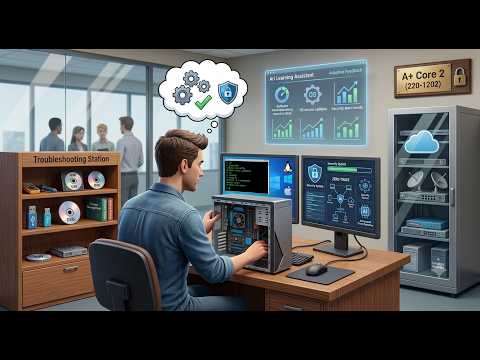
Master operating systems, security, and software troubleshooting with an AI coach. 18 topics covering all 4 exam domains. Includes new Zero Trust and AI content.
Start Studying — Free Ask Ari About the Exam
Malware removal, social engineering, Zero Trust — Ari coaches you through real incident response situations.
Already know Windows tools? Skip them. Confused by NTFS vs Share permissions? Ari digs in until it clicks.
Practice sfc, DISM, chkdsk, PowerShell — through troubleshooting scenarios, not memorization.
See your mastery level per topic. Know when you're ready to schedule the exam.
Four domains. Operating systems, security, troubleshooting, and professional procedures.
Windows 11, macOS, Linux, command line, PowerShell, Active Directory, cloud tools
Zero Trust, MFA, malware, social engineering, EDR/XDR, BitLocker, wireless security
Windows boot issues, BSOD, mobile apps, malware removal, browser security
Documentation, change management, backups, safety, scripting, remote access, AI basics
Every exam objective mapped to a conversation with Ari.
Explain common operating system types (Windows, Linux, macOS, Chrome OS, mobile) and their purposes. Compare filesystem ...
Perform OS installations including clean install, in-place upgrade, image deployment, and zero-touch deployment. Underst...
Compare and contrast Microsoft Windows 10/11 editions (Home, Pro, Enterprise) and their features. Understand which editi...
Use Windows management tools including Task Manager, MMC snap-ins, Event Viewer, Disk Management, Registry Editor, Devic...
Use Microsoft command-line tools (cmd.exe) and PowerShell for system administration, network diagnostics, file managemen...
Configure Windows networking features including domain vs workgroup environments, firewall settings, VPN connections, ne...
Explain features and tools of macOS (System Settings, Terminal, FileVault, Time Machine) and Linux (commands, filesystem...
Summarize physical security measures (bollards, badges, biometrics) and logical security concepts (least privilege, Zero...
Configure Windows OS security settings including Defender Antivirus, Windows Firewall, NTFS vs share permissions, BitLoc...
Identify types of malware (ransomware, rootkits, Trojans, fileless malware, cryptominers, stalkerware). Use detection to...
Compare social engineering attacks (phishing, vishing, smishing, tailgating, BEC). Identify threat types (DoS, DDoS, spo...
Compare data destruction methods (drilling, shredding, degaussing, sanitization). Configure wireless security protocols ...
Troubleshoot common Windows OS problems including BSOD, boot failures, frequent shutdowns, services not starting, slow p...
Troubleshoot mobile OS and application issues including apps failing to launch, battery drain, random reboots, and conne...
Troubleshoot PC security issues including desktop alerts, false antivirus warnings, altered system files, and browser co...
Implement documentation best practices including ticketing systems, asset management, CMDB, SOPs, and knowledge bases. A...
Implement backup and recovery strategies (full, incremental, differential, 3-2-1 rule). Follow safety procedures (ESD, e...
Use proper communication techniques and professionalism in IT support. Explain scripting basics (.bat, .ps1, .sh, .py, ....
Not sure if you're ready? Ask about study time, prerequisites, or what to expect on the A+ Core 2.
Guest preview • 10 messages
A+ is the first step on the CompTIA IT certification path.
Hardware, networking, cloud, troubleshooting. You've got the physical side down.
OS, security, troubleshooting, operations. Pass this → A+ certified. Desktop support and IT specialist roles.
The CompTIA trifecta. Network admin, security analyst, systems administrator. DoD 8570 baseline.