How-To with Ari

Learn to use Kiro CLI — one step at a time.

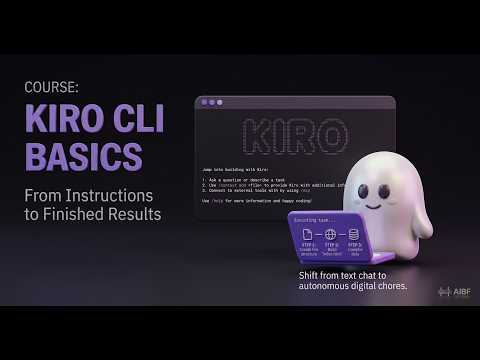
You already use AI in a browser. Kiro CLI is different: it runs on your own computer and has hands — it makes real files, builds pages, runs tasks. Ari walks you through it step by step, even if you have never opened a terminal. When your screen doesn't match, Ari helps. That's the whole point.

Start Free See How This Works

Free · No coding experience needed · You can't break anything

Video: How-To with Ari

How It Works

🧭
1. Ari Gives You One Step

No walls of text. Ari tells you exactly what to do next — the command to run, and what you should see when it works.

🖥️
2. You Try It, and Report Back

You run it on your own computer and tell Ari what happened. If it doesn't match, Ari figures out why and gets you unstuck.

3. You See It Work

Every step ends in something real — a healthy check, a reply, a web page you open in your browser. You mark it done and move on.

Built for People Who've Never Touched a Terminal

If the word 'terminal' makes you nervous, you're exactly who this is for. We start from the very beginning.

Start From Zero

We show you how to open a terminal and promise you can't hurt your computer. No experience assumed.

One Thing at a Time

Ari never dumps everything on you. One clear step, then the next — at your pace, across as many sittings as you like.

Make Something Real

You'll ask for a web page in plain English and open it in your own browser. That's the moment it clicks.

Always in Control

Kiro asks before it does anything real on your computer. You approve every step. Nothing happens without your yes.

Help When You're Stuck

Stuck is normal. Tell Ari what you saw and it walks you out of it — the thing a printed guide can never do.

100% Free

Kiro's free tier is all you need, and this course costs nothing. Built by a nonprofit.

By the End, You'll Be Able To…

Six short sections. About an hour, in as many sittings as you like.

Open a terminal, install Kiro, and get it talking to you
Have a real conversation with it — and get help when stuck
Ask it to make a web page, then open it in your browser
Run things safely, knowing when and why it asks permission
See the bigger things it can do for your own work
Carry the skill to any similar tool — not just Kiro

How This Works

A written course, an AI beside you, and progress you control. Here's what each part actually does.

The steps are written down and checked

This isn't Ari making things up as it goes. The path is authored ahead of time:

  • A person wrote and checked each step
  • You get the exact command to run — not a paraphrase
  • Everyone gets the same correct steps, in the same order
  • When Ari isn't sure, it says so instead of guessing
Ari reacts when your screen doesn't match

A printed guide can't help when something goes wrong. Ari can:

  • Tell it what you saw, and it works out what happened
  • Common failures are already written down, with fixes
  • "I'm stuck" is a button, not a confession
  • Say "I'm not technical" and Ari slows right down
You decide what counts as done

No score is guessing at what's in your head. Here, progress is just a record of what you actually did:

  • Nothing completes until you say it worked
  • No score, no percentage, no certificate
  • Progress is a record of what you did — not a guess about what you know
  • Stop any time and pick up exactly where you left off

Power Tips — Getting the Most From Ari

Ari is an AI language model. It's a great guide for this — but a few habits make it work far better.

What Works Well
Paste the exact error — don't retype it

Copy the whole red message and paste it in, word for word.

Ari fixes what it can actually see. A paraphrase like "it said something about permission" hides the one detail that solves it.

Ask it to explain things differently

"Explain that differently" or "What does that command actually do?"

If one explanation doesn't click, ask for another angle. Ari can slow down, use plainer words, or break a step into smaller ones.

Say "I'm not technical"

"I've never used a terminal — go slower."

It's not a confession, it's an instruction. Ari drops the jargon and takes smaller steps. Ask "/guide" any time you want the how-to help built into Kiro.

Ask Kiro to do the fiddly part

"Create that file for me" or "Make that change and show me."

The whole point of a CLI tool is that it has hands. Let it do the typing — you stay in control by approving each action.

What to Know
Ari can be wrong

It's a language model — it generates plausible-sounding text based on patterns, just like ChatGPT, Gemini, and Claude. It can state incorrect information confidently. If a command looks risky or surprising, ask what it does before you approve it.

It's not good at debate

Ari assumes you're here to learn. If you argue or try to trip it up, it won't push back well — it may agree with incorrect statements or get confused. It's a guide, not a sparring partner.

You approve everything real

Kiro asks before it changes anything on your computer. Nothing happens without your yes — so you can try things without worrying you'll break something.

Your Data Stays Yours

We're a nonprofit, not an ad company. We will never monetize your information.
No spam emails. No newsletters. We'll never fill your inbox.

Never Sold

Your data is never sold, rented, or shared with third parties. Ever.

No Tracking

No Google Analytics. No ad cookies. No retargeting. We don't build profiles on you.

One Cookie

A single session cookie keeps you logged in. Disappears when you close the browser.

Delete Anytime

Want your data gone? One email and we wipe everything. No hoops.

Ready to actually do it?

You don't need to be technical. You just need to be willing to try one step at a time. Ari does the rest.

Start Free
Take it with you

All tools available on your phone — free on Google Play

Get it on Google Play

Disclaimer: AI Bridge Foundation provides a free, general self-study support tool. Responses are AI-generated and may be inaccurate or wrong. Progress here is your own confirmation that something worked, not a measurement of skill. 100% free — no fees, no work contract, no consideration required.

Chat with us