Web Series · Part 2 of 3 · about 1.5 hours
Turn your own computer into a real web server with the AI you already use — then give it a guestbook, a database, and a real login.
Start Free See the Big IdeaPart 2 of 3 · Free · ~1.5 hours · 8 short sections · Any AI works
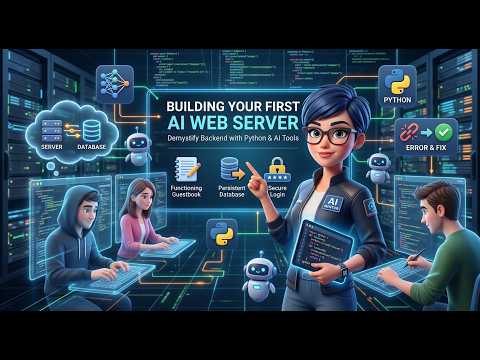
In Part 1 you built everything that runs in the browser. That's only half the story — and the half anyone can read. The other half stays behind, on the server.
A form sends a POST, and the server catches it. That's every comment box, order form, and sign-up.
A database holds what your site knows, through crashes, restarts, and power cuts. Yours is one file.
A login checked by the server, with passwords scrambled so even you can't read them.
A free 3-part series
Each part ends with something working that you can't wait to show someone — and a question the next part answers. By the end, WordPress, Bluehost, or a site someone built for you won't be a black box anymore.
HTML, CSS, and JavaScript — the three jobs every page does.
“Look what I made.”
GET and POST, a guestbook with a database, and a real login.
“My friend’s message is still there!”
Move your site to an always-on computer anyone can visit.
“Anyone can open my site.”
Your server remembers and recognizes people — but only on your own computer. Part 3 puts it on an always-on computer so anyone in the world can visit.
Most tutorials show you the version that works. Here you'll guess what's about to happen, hit the wall yourself, and then fix it. That's the moment it clicks — and the reason it sticks.
One loop from Part 1, one new habit.
Ari tells you what to aim for; you ask your own AI in your own words. Ari coaches you if something important is missing — like scrambling passwords.
Update app.py or your page, then stop the server (Ctrl+C) and start it again. A server only notices new code when it restarts.
See the change in your browser — and every GET and POST arrive live in your terminal. Something wrong? Paste what the terminal says to Ari.
Eight short hands-on sections, about an hour and a half. Do it in one sitting or several, and it saves your place. No test, no certificate.
Every piece you build has a twin in the real world. After this, WordPress, Bluehost, or a site someone built for you won't be a black box — and Part 3's AWS names will already mean something.
| You build | In WordPress & Bluehost | On AWS (Part 3) |
|---|---|---|
Server code: app.py | PHP files and plugins | An EC2 instance runs it |
| Guestbook messages | Comments | Same app, now online |
Database: guestbook.db | MySQL, opened with phpMyAdmin | RDS |
| Login with scrambled passwords | wp-login.php, the wp_users table | Cognito |
| Only logged-in users can delete | Roles: Administrator, Editor, Subscriber | IAM |
| Your computer as the server | The computer Bluehost rents you | A cloud computer that never switches off |
If "server" and "database" sound like engineer words, you're exactly who this is for.
Your AI writes the Python. You learn which side each thing belongs on, and what to ask for.
ChatGPT, Gemini, Claude, Copilot, Kiro CLI, Claude Code — any works, and a free account is plenty.
Python, from python.org. Flask and SQLite come along with it. Ari walks you through the one tricky checkbox.
Your server only answers your own machine. Nothing is published, and Ctrl+C stops it any time.
You guess, you try, you're surprised, you fix it. The ideas stick because you saw them happen.
Python, Flask, SQLite, and WordPress Playground are all free. So is this workshop. Built by a nonprofit.
A written path, an AI beside you, and progress you control.
Ari isn't making it up as it goes. The path is authored ahead of time:
A video can't see your screen. Ari reacts to what you tell it:
No score is guessing at what's in your head:
Ari is an AI language model. It's a great guide for this — but a few habits make it work far better.
A server runs the code it read when it started. Most 'my change didn't work' moments are just a missing restart.
You need to see the terminal — that's where every GET, POST, and error shows up.
The browser only says 'Internal Server Error'. The real reason is in the terminal, and your AI can read it.
If yes, it belongs on the server. If it's just how the page looks or moves, it's the browser.
On Windows the command is python; on a Mac it's python3. Ari gives you the right one for your computer.
Ari and your own AI can both sound confident and be wrong. If something doesn't match what the step says you should see, say so.
Never use a real password in your practice site. Make one up — it's hashed anyway, but a practice site should only hold practice data.
127.0.0.1 means 'this computer'. Nobody on the internet can see your server — putting it online safely is Part 3.
We're a nonprofit, not an ad company. We will never monetize your information.
No spam emails. No newsletters. We'll never fill your inbox.
Your data is never sold, rented, or shared with third parties. Ever.
No Google Analytics. No ad cookies. No retargeting. We don't build profiles on you.
A single session cookie keeps you logged in. Disappears when you close the browser.
Want your data gone? One email and we wipe everything. No hoops.
In about an hour and a half you'll have a real server, a guestbook with a database, and a login you built yourself — and you'll know exactly what WordPress is doing behind the scenes. Then Part 3 puts it online.
Start FreeDisclaimer: AI Bridge Foundation provides a free, general self-study support tool. Python, Flask, SQLite, WordPress, Bluehost, cPanel, AWS, ChatGPT, Gemini, Claude, Copilot, Kiro, and Claude Code are products, projects, or trademarks of their respective owners and are not affiliated with AI Bridge Foundation. Responses are AI-generated and may be inaccurate or wrong. The practice server in this workshop is for learning on your own computer and is not set up to run a public website. Progress here is your own confirmation that something worked, not a measurement of skill. 100% free — no fees, no work contract, no consideration required.
